
With one click
Export a perfectly formatted traditional script.
What if you could see the character you just wrote, hear the world around them, and experience the soundtrack of your story while you’re still writing it?
With SoCreate Writer, you can.
We’re introducing a groundbreaking new capability that brings AI-generated imagery and audio directly into the writing process. Instead of waiting until production to discover what your story might look and sound like, you can begin experiencing it as you create it.
Visualize your characters, locations, props, and wardrobes. Generate music, sound effects, and background sounds. Then bring everything together into a complete soundtrack.
For writers, this opens up an entirely new way to create. You can experience your story while you’re still shaping it.
See if your character looks the way you imagined. Test whether a sound effect creates the tension you wanted. Try a completely different musical style to find the right emotion. Change it, regenerate it, and continue refining until it feels right.
With image generation built directly into SoCreate Writer, you can bring the world of your story into view while you’re writing.
You can experiment with different ideas and continue refining them until the imagery matches your vision. Whether you’re defining a character’s appearance, establishing the atmosphere of a location, or figuring out the right details for a prop, you can make those creative decisions in the moment.
Your story no longer has to live entirely in your imagination until production. You can see it taking shape as you write.
You can generate images for:
- Title Cards
- Characters
- Character Wardrobes
- Locations
- Props
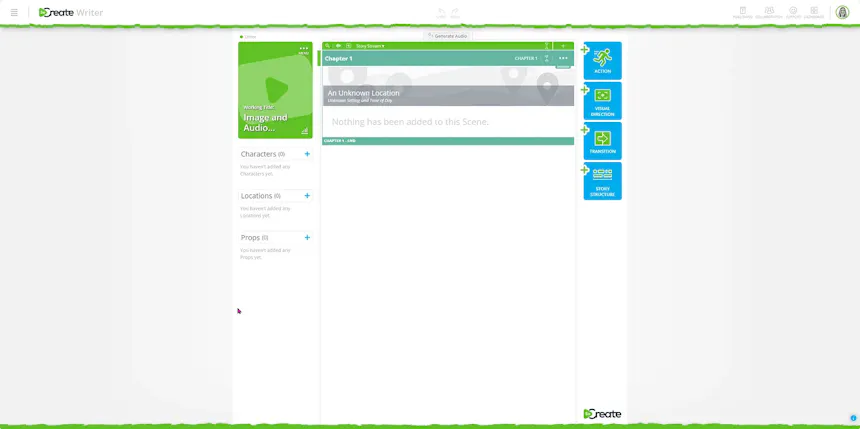
The more detail you provide, the more control you have over the character you visualize.
If the result isn’t quite what you pictured, simply adjust the character’s appearance and regenerate the image until you get the look you want.
The same process can be used to visualize wardrobes, locations, and props, giving you the ability to build out the visual world of your story as you create it.
Wardrobe:
Location:
Prop:
Title Card:
Start creating characters now!
Seeing your story is only part of the experience. With SoCreate’s audio generation capabilities, you can also create sound effects, music, and background sounds directly within your story.
You can hear individual elements as you create them and eventually combine them into a complete soundtrack.
Want to hear a door slam? A phone ring? Glass shatter?
You can describe the sound you want and generate it directly in your story.
Here’s how:

If the sound isn’t quite right, update your description and regenerate it until you find the effect you’re looking for.
Music can completely change the feeling of a scene. Now, you can create an original musical score for your story directly inside SoCreate Writer.
Here’s how:
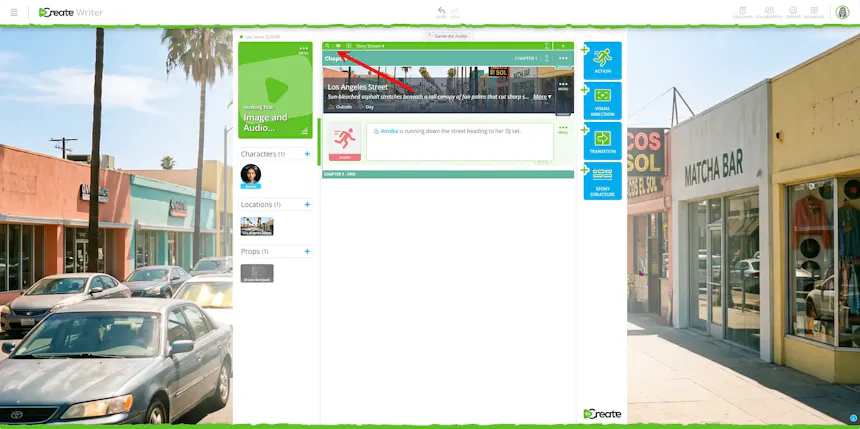

If the first version doesn’t capture the feeling you’re after, change your description and regenerate the music until it fits the moment.
Sometimes, it’s the sounds happening in the background that make a scene feel real.
Rain against a window. Waves crashing on a beach. A busy city street. The hum of a crowded restaurant.
With SoCreate, you can create those atmospheric sounds directly within your story.
Here’s how:
If the atmosphere isn’t quite right, adjust your description and regenerate until you’ve created the environment you’re looking for.
Once you’ve written your action and dialogue, selected your character voices, and added music, sound effects, and background sounds, you can hear how everything works together.
Simply click Generate Audio at the top of the Story Stream.
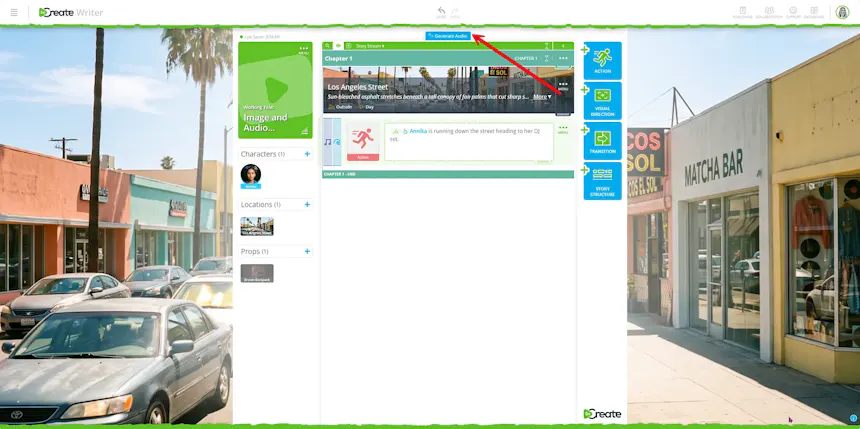
SoCreate brings together your dialogue, narration, music, sound effects, and background sounds into one complete soundtrack for your story.
Listen through your story and make changes wherever you want. Update your action, dialogue, character voices, or additional sounds, then regenerate your audio with those changes.
This creates an entirely new way to experience your writing. Instead of only reading the words on the page, you can hear how your story comes together before it ever reaches the screen.
Export a perfectly formatted traditional script.

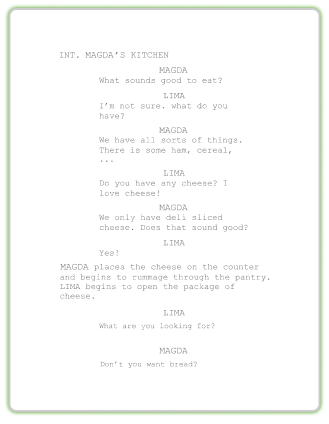
For the first time, the story in your head can begin taking shape while you’re still writing.
Generate the character. Hear the scene. Change the music. Try a new sound. Regenerate the image. Keep experimenting until the story feels like the one you imagined.
That’s the new SoCreate Writer! Your story isn’t just something you write anymore. It’s something you can see and hear come to life.